
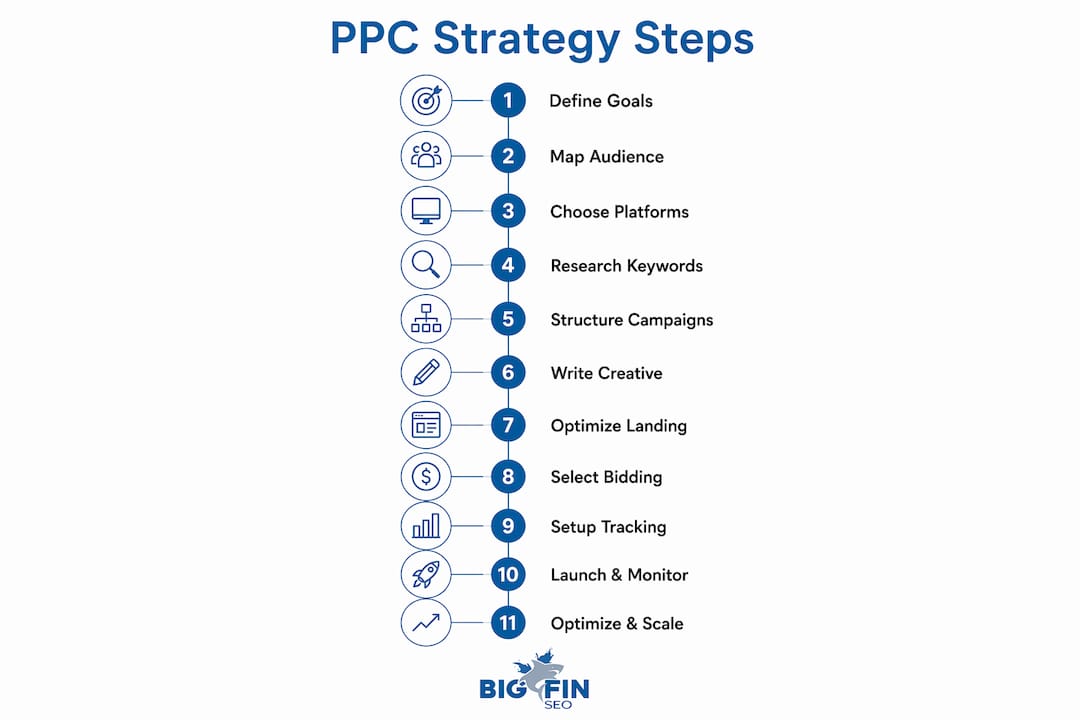
A winning PPC strategy follows this sequence: define goals and KPIs, map your audience and buyer journey, select platforms and allocate budget, research keywords and build negative lists, structure campaigns by intent tier, write and test ad creative, build dedicated landing pages, wire up tracking through Google Analytics 4 and Google Tag Manager, launch with a QA checklist, then optimize weekly and scale what works. Every step feeds the next, and skipping one upstream creates problems you cannot fully fix downstream.
Here is your quick-reference roadmap to copy into your project plan:
- Step 1: Define one primary goal and 2–3 supporting KPIs
- Step 2: Build buyer personas and map intent to funnel stage
- Step 3: Choose platforms (Google Ads, Microsoft Advertising, Meta Ads) and set budget allocation
- Step 4: Research keywords, assign match types, seed negative keyword list
- Step 5: Build campaign structure with naming conventions
- Step 6: Write ad creative and set up a testing framework
- Step 7: Build dedicated landing pages and run CRO tests
- Step 8: Choose bidding strategy matched to campaign maturity
- Step 9: Set up GA4, Google Tag Manager, GCLID capture, and CRM imports
- Step 10: Run pre-launch QA and follow a 30/60/90-day monitoring plan
- Step 11: Optimize weekly, diagnose failures systematically, and scale with discipline
Pro Tip: Use this list as a literal checklist. If you cannot check off every item before launch, you are not ready to spend. Bigfinseo’s white-label PPC fulfillment is built around this exact sequence for agencies that want it executed under their own brand.
What is a step-by-step PPC strategy and why does sequence matter?
PPC results are determined by a chain of decisions made before launch. Get the sequence right, and each step reinforces the next. Get it wrong, and no amount of A/B testing later will fully rescue the account.
Think of it like charting a course before you leave port. You would not choose a bidding strategy before you know your goal, just as you would not pick a destination before you know your cargo. The eight pre-launch decisions that determine campaign fate are:
- Who you target — audience definition and persona mapping
- What you want — primary goal and KPIs
- Where you sail — platform selection
- What words you bid on — keyword and intent research
- How you organize — campaign and ad group structure
- What you say — ad creative and messaging
- Where you send them — landing page and offer alignment
- How you bid and measure — bidding strategy and tracking setup
The dependency chain runs in that order. Choosing a platform before you understand your audience means you may pick the wrong channel entirely. Setting bids before tracking is live means the algorithm has no signal to learn from. Poor early choices cannot be fully corrected by later testing.
Pro Tip: Decide your primary goal before you open Google Ads or Meta Ads. Reversing a campaign objective after launch resets the learning phase and wastes the conversion data already collected.
Step 1: How do you define PPC goals and KPIs that actually drive results?
Pick one primary goal per campaign and attach 2–3 supporting KPIs to it. Trying to optimize for awareness, leads, and revenue simultaneously produces a campaign that does none of them well.

Matching the goal to your business stage
Three goal types cover most small-business scenarios:
- Revenue / direct sales — best for e-commerce or short sales cycles where the customer buys online. Primary KPI: ROAS (return on ad spend). Supporting KPIs: average order value, conversion rate.
- Lead generation — best for service businesses and B2B with a sales team. Primary KPI: cost per lead (CPL). Supporting KPIs: lead-to-SQL rate, cost per opportunity.
- Awareness / reach — best for new product launches or local brand building. Primary KPI: impression share or reach. Supporting KPIs: frequency, brand search lift.
Calculating a target CPA
Use this formula before you set a single bid:
Example: LTV = $3,000, target margin is typical, conversion rate from lead to customer is typical.
Target CPA can be estimated by calculating (Customer Lifetime Value × Target Margin) divided by Conversion Rate.
If your average CPL and lead-to-customer rate produce an actual CAC higher than your Target CPA, you should improve conversion rates or tighten targeting before scaling spend. That tells you to either improve conversion rates or tighten targeting before scaling spend.
Measurement windows
| Phase | Window | What to measure |
|---|---|---|
| Learning | Days 1–30 | Impression share, CTR, CPC, early conversion volume |
| Stabilization | 30+ | CPL trend, Quality Score, search term relevance |
| Steady-state | — | CPA vs. target, ROAS, lead-to-SQL rate, CAC |
Do not judge a campaign’s viability at two weeks. Conversion data needs at least 30 days to show a reliable pattern, and automated bidding strategies need that same volume before they can optimize accurately.
Step 2: How do you map your audience and buyer journey for PPC targeting?
Identify the high-value audience segments you must reach and the intent signals that tell you where each segment sits in the buying journey. Without that map, you end up serving the right message to the wrong person at the wrong moment.
Persona table
| Persona | Demographics / firmographics | Intent keywords | Key objection | Best offer |
|---|---|---|---|---|
| Decision-maker | Owner/VP, 10–200 employees, $1M–$20M revenue | “best [service] for [industry],” “[service] pricing” | “Is this worth the cost?” | ROI calculator, case study |
| Researcher / influencer | Manager, evaluating options | “[service] vs [alternative],” “how does [service] work” | “Will this integrate with what we have?” | Comparison guide, free demo |
| Ready buyer | Same as decision-maker, late-stage | “[service] near me,” “[service] agency,” “hire [service]” | “Can I trust this vendor?” | Free audit, consultation |
Funnel-stage mapping
- Awareness: Prospect does not know your brand. Serve educational content, thought leadership ads, or video. Platforms: Meta Ads, YouTube, display.
- Consideration: Prospect is comparing options. Serve comparison ads, case studies, and testimonials. Platforms: Google Ads (phrase match), Microsoft Advertising, LinkedIn.
- Decision: Prospect is ready to act. Serve direct-response ads with a clear offer. Platforms: Google Ads (exact match), remarketing on Meta Ads.
Pro Tip: Before committing budget to a persona, run a modest test campaign targeting that segment with a single offer. If the click-through rate is low on search or display, your messaging or targeting assumption may be off. Fix the hypothesis before scaling.
Step 3: Which platforms should you choose and how do you allocate budget?
Choose platforms by buyer intent. Google Ads captures active demand from people already searching for what you sell. Microsoft Advertising reaches a slightly older, higher-income demographic and often delivers lower CPCs in B2B categories. Meta Ads (Facebook and Instagram) excels at awareness and remarketing when you need to build an audience or re-engage visitors who did not convert.

Platform comparison
| Platform | Best for | Targeting options | Required assets | Typical budget entry |
|---|---|---|---|---|
| Google Ads is suited for active search demand and bottom-funnel targeting; requires keywords, audiences, location targeting, ad copy, and landing page, with a typical minimum budget to build signal. | ||||
| Microsoft Advertising is suited for B2B and older demographics with generally lower CPC; requires keywords, LinkedIn profile targeting, ad copy, and landing page, with a typical minimum budget. | ||||
| Meta Ads are suited for awareness, remarketing, and visual products; require demographics, interests, lookalikes, custom audiences, images or video, primary text, and landing page, with a typical budget range. |
Budget allocation by monthly spend
- **For small budgets (approximate $1,000/month), allocate the majority to one channel (commonly Google Ads) with some remainder on remarketing via Meta Ads.
- **For moderate budgets, an example allocation might be around 60% to Google Ads, 20% to Meta Ads, and 20% to Microsoft Advertising if B2B.
- **For higher budgets, an example allocation might be roughly half to Google Ads, a quarter to Meta Ads, some to Microsoft Advertising, and a portion reserved for testing new audiences or formats.
Divide each channel’s budget further by funnel tier: roughly 60–70% to bottom-funnel conversion campaigns and 30–40% to upper-funnel awareness or remarketing.
Pro Tip: Start with one channel until you have at least 30 conversions. Spreading $1,000 across three platforms gives you thin, inconclusive data on all three. Concentrate spend for signal density, then expand.
Step 4: How do you research keywords, match types, and build a negative list?
Choose keywords that match the conversion intent of your campaign, and start with phrase and exact match for any new B2B campaign. Broad match in B2B commonly wastes budget by serving low-intent queries unless paired with a rigorous negative keyword list from day one.
Keyword research checklist
- Seed a keyword list with multiple relevant terms derived from your product language, FAQs, and sales calls.
- Search volume: use Google Keyword Planner to validate monthly search volume and estimated CPC
- Intent tag: label each keyword as informational, commercial, or transactional
- Competitor gap: check which terms your competitors bid on using tools like SpyFu or Semrush
- Long-tail variations: add 3–5 word phrases that signal higher purchase intent (e.g., “B2B PPC agency New Jersey” vs. “PPC”)
Match type guidelines
- Exact match — use for your highest-intent, highest-value terms. Maximum control, lower volume.
- Phrase match — use for mid-funnel terms where you want some flexibility but still need relevance.
- Broad match — add only after you have 60+ days of search term data and a mature negative list. Never launch a new campaign on broad match alone.
Negative keyword starter list
At launch, a comprehensive B2B negative keyword list should include a large number of terms covering common irrelevant categories.:
- Job/career terms: “jobs,” “careers,” “salary,” “hiring,” “resume,” “internship”
- Student/academic: “course,” “certification,” “training,” “how to learn,” “tutorial,” “definition”
- Free/DIY: “free,” “DIY,” “template,” “open source,” “cheap,” “low cost”
- Consumer qualifiers: “personal,” “home,” “individual,” “for myself”
- Out-of-market geographies: cities, states, or countries you do not serve
Pro Tip: Export your search terms report every week for the first 60 days and add 5–10 new negatives per review. Regular search-term reviews can significantly reduce wasted spend over time without adjusting bids.
Step 5: How should you structure campaigns and name them for scale?
Organize by funnel stage and intent tier, not by product features. A structure built around features makes it hard to read performance data and nearly impossible to allocate budget by where prospects are in the buying journey.
Recommended campaign structure
- Bottom-funnel campaign — exact and phrase match, highest-intent keywords, dedicated landing page per ad group
- Mid-funnel / problem-aware campaign — phrase match, educational or comparison keywords, case-study landing pages
- Brand campaign — exact match on your own brand terms, isolated budget so brand traffic does not inflate non-brand metrics
- Remarketing campaign — audience-based, targeting past site visitors or CRM lists, separate from search
A tiered account structure keeps budgets legible and concentrates conversion data for algorithmic learning. Keep 3–8 closely related keywords per ad group. Extreme fragmentation (one keyword per ad group) dilutes conversion data and slows Smart Bidding.
Naming convention template
Use this format for every campaign:
[Platform]_[Objective]_[Audience]_[Intent Tier]_[Start Date]_[Offer Code]
Example: GGL_LeadGen_SMB_BottomFunnel_2026-03_FreeAudit
- Platform: GGL (Google), MSFT (Microsoft), META (Meta)
- Objective: LeadGen, Sales, Awareness, Remarketing
- Audience: SMB, Enterprise, Retarget
- Intent Tier: BottomFunnel, MidFunnel, Brand
Pro Tip: Use shared negative keyword lists and shared asset libraries in Google Ads. When you need to add a new negative across five campaigns, one edit to the shared list covers all of them instantly. That single habit saves hours per month as the account grows.
Step 6: How do you write ad creative and build a testing framework?
Test one variable at a time and match each ad variant to the intent stage it serves. An awareness-stage ad that leads with a feature list will underperform against one that names the problem. A decision-stage ad that asks “Want to learn more?” will lose to one that says “Get your free audit today.”
Ad asset checklist
Google Ads (Responsive Search Ads):
- 15 headline options (30 characters each), at least 3 pinned to position 1
- 4 description lines (90 characters each)
- 2 display path fields (15 characters each)
- Sitelink extensions (4–6), callout extensions (4+), structured snippets
Meta Ads:
- Primary text (125 characters for preview, up to 500 for full)
- Headline (27 characters)
- Image (1200×628 px minimum) or video (15–30 seconds for feed)
- CTA button selection matched to funnel stage
Copy templates by funnel stage
| Stage | Headline formula | Description focus | CTA |
|---|---|---|---|
| Awareness | “[Problem] Solved for [Audience]” | Educate on the cost of the problem | “Learn how” |
| Consideration | “[Your Solution] vs. [Alternative]” | Differentiate with a specific outcome | “See the comparison” |
| Decision | “Get [Specific Offer] Today” | Remove risk (guarantee, no contract) | “Get your free audit” |
Testing cadence
- Launch with 2–3 headline variants per ad group
- Run for a minimum of 30 days or 100 clicks per variant, whichever comes first
- Pause the lowest-CTR variant and replace with a new test
- After 60 days, test description lines using the same rotation
- Never change more than one element per test cycle
Step 7: What makes a landing page actually convert PPC traffic?
Always send paid traffic to a dedicated landing page that repeats the ad promise verbatim. Landing pages that mirror ad headlines and deliver a single clear next step routinely convert 2–4× better than generic homepages. Message match is not a nice detail; it is the primary trust signal a paid visitor sees in the first three seconds.
Landing page checklist
- Headline matches the ad headline word-for-word or as a direct echo
- Primary CTA visible above the fold without scrolling
- One offer per page (no competing links or navigation menus)
- Social proof present: a testimonial, review count, or named client logo
- Form length: 3–5 fields maximum for lead gen (name, email, company, phone, one qualifying question)
- Mobile-responsive layout tested on iOS and Android
- Page speed: aim for under 3 seconds load time on mobile. Mobile visitors abandon paid-traffic pages sharply after that threshold.
CRO test priority order
- Form length reduction — cutting from 7 fields to 4 typically lifts form completion rates
- Headline variant — test the ad headline verbatim vs. a benefit-led rewrite
- CTA button copy — “Get My Free Audit” vs. “Request a Consultation”
- Trust signal placement — above the fold vs. below the form
- Page speed — run Google PageSpeed Insights and fix any mobile score below 70
For a deeper look at conversion rate optimization principles that apply directly to paid traffic pages, the framework there maps well to the test priority order above.
Step 8: Which bidding strategy fits your campaign’s maturity level?
Prefer manual CPC or Enhanced CPC during the learning phase. Switch to automated Target CPA or Target ROAS only after the account has sufficient conversion signal. Automated bidding performs best only after roughly 30+ conversions in the lookback window; before that, the algorithm optimizes for whatever it can find, which is often cheap, low-quality leads.
Bidding strategy matrix
| Strategy | Best use case | Minimum conversion signal | Risk |
|---|---|---|---|
| Manual CPC | New campaigns, no conversion history | None required | Requires active management |
| Enhanced CPC | Early campaigns with some conversion data | 10–15 conversions | Moderate; still partially manual |
| Maximize Conversions | Campaigns with consistent volume, fixed budget | 20–30 conversions | Can overspend daily budget |
| Target CPA | Established campaigns with stable CPL | 30+ conversions/month | Needs quality-labeled conversions |
| Target ROAS | E-commerce or revenue-tracked campaigns | 50+ conversions/month | Requires accurate revenue values |
Pacing rules
- Set a daily budget you are comfortable spending every day for 90 days
- Never increase a daily budget by more than 20% at a time; larger jumps reset the learning phase
- Use shared budgets across ad groups within a campaign, not across campaigns
- For seasonal businesses, schedule budget increases 2 weeks before peak periods, not during them
Pro Tip: Do not enable value-based bidding until you have fed revenue-weighted CRM outcomes back into Google Ads. Without that signal, Target ROAS optimizes for whatever conversion value you assigned at setup, which may not reflect actual pipeline quality.
Step 9: How do you set up GA4, GTM, and offline conversion tracking?
Capture GCLID identifiers and import CRM outcome stages so bidding and reporting optimize for pipeline value rather than raw form fills. Without offline conversion tracking, Smart Bidding chases cheap form fills instead of the leads that actually become customers.
Step-by-step tracking checklist
- Install Google Tag Manager — deploy one GTM container tag on every page of your site
- Configure GA4 via GTM — fire the GA4 configuration tag and verify it in GA4 DebugView
- Define conversion events — set form submissions, phone calls, and booking completions as GA4 events
- Import GA4 conversions into Google Ads — link the accounts and import the events as conversion actions
- Enable GCLID auto-tagging — confirm auto-tagging is on in Google Ads account settings
- Capture GCLID in your CRM — add a hidden field to every form that captures the
gclidURL parameter and stores it against the lead record - Map CRM stages to values — assign a dollar value to each pipeline stage (e.g., MQL = $50, SQL = $200, closed-won = $1,500)
- Upload offline conversions — use Google Ads’ offline conversion import or Enhanced Conversions for Leads to send CRM outcomes back to the platform weekly
For teams building out CRM workflows and lead follow-up alongside their tracking setup, a structured automation checklist helps ensure no lead falls through the gap between ad click and CRM record.
CRM import overview
| CRM stage | Assigned value | Import method | Frequency |
|---|---|---|---|
| Form fill / MQL | $50 | Enhanced Conversions for Leads | Real-time |
| SQL (sales-qualified) | $200 | Offline conversion upload | Weekly |
| Opportunity created | $500 | Offline conversion upload | Weekly |
| Closed-won | Actual deal value | Offline conversion upload | Weekly |
Troubleshooting common failures
- Missing GCLID: Check that auto-tagging is enabled and the hidden form field is named
gclidexactly - Mismatched timestamps: Offline conversions must be uploaded within 90 days of the click; late uploads are rejected
- Incomplete CRM mapping: If fewer than 30% of form fills have a GCLID attached, your form is not capturing the parameter correctly
- Low signal volume: If you have fewer than 30 qualified conversions per month, stay on manual or Enhanced CPC until volume grows
Step 10: What should you check before launch and in the first 90 days?
Run this pre-launch checklist before switching any live budget on. One missed item — a broken tracking tag, an uncapped bid, a landing page that 404s — can silently drain an entire month’s budget.
Pre-launch QA checklist
- Submit your own lead form and confirm the submission arrives in your inbox
- Click every ad preview URL and verify the correct landing page loads
- Fire a test conversion and confirm it appears in GA4 DebugView and Google Ads
- Verify GCLID is captured in the CRM against the test lead record
- Confirm negative keyword list is seeded (minimum 50 terms for a new B2B campaign)
- Check daily budget and bid caps — no zeroes, no accidentally uncapped bids
- Verify geographic targeting matches only the regions you serve
- Confirm ad schedule is set to your highest-converting hours (or 24/7 with a plan to daypart after data arrives)
For a printable version of this checklist, the paid advertising checklist covers the full pre-launch and ongoing review sequence.
30/60/90-day monitoring plan
| Phase | Key tasks | KPIs to watch |
|---|---|---|
| Days 1–30 | Daily search-term review, negative expansion, landing page smoke tests | Impression share, CTR, CPC, early conversion volume |
| 30+ | Weekly asset review, pause low-CTR ads, first landing page CRO test | CPL trend, Quality Score, conversion rate by ad group |
| — | Evaluate bidding upgrade (if 30+ conversions), expand to second platform | CPA vs. target, lead-to-SQL rate, ROAS |
Typical small-business cost ranges
| Funnel tier | Typical CPC range | Typical CPL range |
|---|---|---|
| Bottom-funnel (exact match) | $3–$15 | $50–$200 |
| Mid-funnel (phrase match) | $1–$8 | $80–$200 |
| Remarketing | $1–$3 | $30–$100 |
These ranges vary significantly by industry and geography. Legal, financial, and insurance categories run considerably higher.
Step 11: How do you optimize PPC campaigns and scale without breaking performance?
Follow a diagnostic checklist before making any change. Random adjustments to bids, budgets, and creative without a clear diagnosis are the fastest way to destroy the learning phase and lose the conversion signal you have built.
Diagnostic flow
When performance drops, work through this sequence:
- Traffic problem? Check impression share and search lost IS (budget vs. rank). If you are losing impressions to budget, increase spend or tighten targeting.
- Intent problem? Review search terms. If irrelevant queries are consuming budget, expand negatives and tighten match types.
- Landing page problem? Check bounce rate and conversion rate in GA4. If CTR is strong but conversions are low, the page is the bottleneck.
- Tracking problem? Verify conversion tags are firing. A sudden drop in reported conversions is often a broken tag, not a real performance decline.
- Bid strategy problem? If CPA is rising without a change in traffic quality, the algorithm may be chasing low-quality signals. Review conversion quality in the CRM.
Weekly, monthly, and quarterly optimization tasks
Weekly:
- Search terms report: add 5–10 new negatives
- Pause ads with CTR below 1% (search) after 200+ impressions
- Check landing page load speed and form functionality
Monthly:
- Asset performance review: replace “low” rated assets in RSAs
- Bid strategy review: are you hitting target CPA/ROAS?
- Audience performance review: add bid adjustments for top-converting segments
Quarterly:
- Full keyword audit: pause keywords with zero conversions after 500+ clicks
- Campaign structure review: consolidate or split ad groups based on conversion data
- Competitor analysis: check auction insights for new entrants
Scaling rules
A simple weekly operational rhythm produces cleaner signal for algorithms and faster removal of low-value traffic than infrequent large changes. When you are ready to scale:
- Increase daily budget by no more than 20% at a time
- Wait 7–10 days after a budget increase before evaluating the new performance baseline
- Clone a winning campaign to test a new audience rather than broadening the existing one
- Add a second platform only after the first is hitting target CPA consistently
B2B PPC pitfalls: what does the research say about wasted spend?
The most dangerous B2B mistake is optimizing for clicks or raw form fills instead of revenue-weighted pipeline signals. Most failing B2B Google Ads campaigns optimize for the wrong thing, and the root causes are consistent: no offline conversion tracking, overly broad match types, weak landing pages, blended brand and non-brand traffic, and fighting the bidding algorithm.
The click-optimization trap: When your conversion action is a form fill and your CRM shows that 80% of those form fills never become qualified leads, your bidding algorithm is actively learning to find more of the wrong people. Every dollar you spend is training the system to deliver cheaper, lower-quality leads. The fix is not a new headline. It is feeding revenue-weighted CRM outcomes back into the platform so the algorithm learns what a real customer looks like.
Actionable fixes
- Connect your CRM to Google Ads and import SQL and closed-won stages as conversion actions with assigned values
- Narrow match types to phrase and exact for all new campaigns; add broad only after 60+ days of search term data
- Review search terms daily for the first 30 days, then weekly
- Build a dedicated landing page for each offer, not one generic page for all campaigns
- Isolate brand traffic in its own campaign so it does not inflate non-brand conversion rates
Stacked defenses are necessary together to cut B2C bleed into B2B campaigns. No single tactic is sufficient on its own.
Pro Tip: Layer three defenses simultaneously: a 200–400 term negative keyword list, qualifying language in your ad copy (“for businesses,” “enterprise,” “B2B”), and dayparting to exclude hours when consumer traffic peaks. Each layer alone reduces bleed; all three together can shift your lead quality dramatically within 30 days.
For a deeper look at the most common Google Ads mistakes that drain B2B budgets, that diagnostic guide covers the same failure modes with additional fix examples.
Bigfinseo can execute this plan for your agency clients
Agencies that want to deliver this step-by-step PPC plan under their own brand, without building an in-house paid search team, have a direct route through Bigfinseo’s white-label fulfillment model.
Bigfinseo handles the full execution stack: campaign architecture, tracking setup (GA4, GTM, GCLID capture, CRM imports), landing page CRO, ad creative, and ROI-focused reporting, all delivered under your agency’s brand in as few as five business days. The model eliminates the overhead of hiring, training, and retaining a paid search specialist while giving your clients a campaign built on the exact sequence this guide describes.
For agencies managing multiple clients, the speed-to-market advantage is concrete. Rather than spending two to three weeks on setup per client, your team focuses on strategy and client relationships while Bigfinseo handles fulfillment. The reporting is structured around pipeline metrics (CPL, cost per SQL, CAC) rather than vanity metrics, so your clients see the numbers that connect to revenue.
To see how Bigfinseo’s white-label PPC and SEO services fit your agency’s current client roster, request a capability briefing through the paid search services page.
Key Takeaways
A high-performing PPC strategy requires goals, tracking, and campaign structure to be set correctly before launch, because poor upstream decisions cannot be fixed by optimization alone.
| Point | Details |
|---|---|
| Goals before platforms | Define one primary goal and 2–3 KPIs before selecting Google Ads, Microsoft Advertising, or Meta Ads. |
| Tracking is non-negotiable | Capture GCLID, import CRM stages into Google Ads, and assign revenue values so bidding optimizes for pipeline, not form fills. |
| Negative keywords from day one | Seed 200–400 negatives at launch; weekly search-term reviews can significantly reduce wasted spend over time without adjusting bids. |
| Bidding automation threshold | Do not enable Target CPA or Target ROAS until you have roughly 30+ quality-labeled conversions in the lookback window. |
| Bigfinseo white-label fulfillment | Agencies can have this full plan executed under their own brand in as few as five business days through Bigfinseo’s fulfillment model. |
The tradeoff most PPC guides will not tell you about
There is a tension at the heart of every PPC launch decision that rarely gets named directly: speed versus precision. Most guides tell you to do everything right before you spend a dollar. The reality for small businesses and agencies with limited budgets is that “everything right” can take four to six weeks, and sometimes the market does not wait.
Here is how to think about that tradeoff honestly, based on three common scenarios:
Startup with a small budget ($500–$1,500/month): Move fast. Launch with phrase and exact match on your five highest-intent keywords, a single landing page, manual CPC, and a basic negative list. You do not have enough budget to run statistically significant tests anyway. Your job in the first 60 days is to generate signal, not to optimize. Accept that your first CPL will be higher than your steady-state CPL. That is the cost of learning.
SMB with an established sales process ($3,000–$10,000/month): Precision matters here. Take the two to three weeks to wire up GCLID capture and CRM imports before launch. Your sales team already knows which lead sources convert. Feed that knowledge into the platform from day one, and you will avoid the reverse-optimization trap that kills most B2B accounts in the first 90 days.
Agency scaling multiple clients: Speed is your product. Your clients hired you to move faster than they could move alone. Use a repeatable launch template (the structure in this guide), white-label fulfillment for execution, and a standardized reporting dashboard. Precision comes from the template, not from rebuilding the wheel for each client.
The practical rule: if your monthly budget is below $2,000, speed beats precision. Above $5,000, precision beats speed. Between those numbers, prioritize CRM tracking above everything else, because that single connection between ad click and closed revenue is the one lever that compounds over time.
Authoritative sources and recommended reading
The following official documentation and practitioner resources support the implementation tasks in this guide. Platform docs are marked as official; the others are practitioner-level references.
- Google Ads offline conversion imports (Official Google Ads documentation) — step-by-step setup for uploading CRM conversion data
- Google Analytics 4 documentation (Official Google documentation) — event configuration, DebugView, and GA4-to-Google Ads linking
- Google Tag Manager documentation (Official Google documentation) — container setup, trigger configuration, and variable management
- Microsoft Advertising help center (Official Microsoft documentation) — campaign setup, LinkedIn profile targeting, and UET tag installation
- B2B Google Ads failure modes and fixes (Practitioner reference) — root-cause analysis of the most common B2B campaign failures
- B2B PPC operator’s guide (Practitioner reference) — CRM integration, GCLID capture, and pipeline-value bidding
- B2B campaign structure and bidding (Practitioner reference) — match type discipline, negative keyword management, and automation thresholds
FAQ
What is a PPC strategy?
A PPC (pay-per-click) strategy is a structured plan that defines your campaign goals, target audience, platform selection, keyword approach, budget allocation, and measurement framework before you spend a dollar on ads.
How do you create a PPC strategy step by step?
Define your goal and KPIs first, then map your audience, choose platforms, research keywords with match types and negatives, build a campaign structure, write ad creative, set up dedicated landing pages, configure GA4 and GTM tracking, launch with a QA checklist, and optimize weekly.
What are the most important steps before launching a PPC campaign?
Verify conversion tracking is firing correctly, seed your negative keyword list, confirm landing pages load under three seconds on mobile, set daily budget caps, and ensure GCLID is captured in your CRM before any budget goes live.
When should you switch to automated bidding in Google Ads?
Switch to Target CPA or Target ROAS only after you have roughly 30 or more quality-labeled conversions in the lookback window. Enabling automated bidding before that threshold causes the algorithm to optimize for cheap, low-quality leads rather than real pipeline outcomes.
How can Bigfinseo help agencies run PPC campaigns?
Bigfinseo offers white-label PPC fulfillment that covers campaign setup, GA4 and GTM tracking, CRM integration, landing page CRO, and pipeline-focused reporting, all delivered under your agency’s brand in as few as five business days.

Michael Fleischner is a marketing strategist, entrepreneur, author, and TEDx speaker with more than 20 years of experience helping businesses grow. As Founder and CEO of Big Fin SEO, he advises small and midsize businesses on marketing strategy, SEO, paid advertising, customer acquisition, and Generative Engine Optimization (GEO).
Michael works directly with business owners and leadership teams through half-day marketing strategy intensives, full-day workshops, and ongoing strategic advisory engagements, including fractional CMO support.
He is the author of SEO Made Simple and The 7 Figure Freelancer, and has served in national leadership roles with the American Marketing Association.
Learn more about Michael at https://michaelfleischnermedia.com or explore his marketing strategy services at https://bigfinseo.com/marketing-strategy/.



 Corine Rigby
 Laura Ayres
 Michael Fleischner